

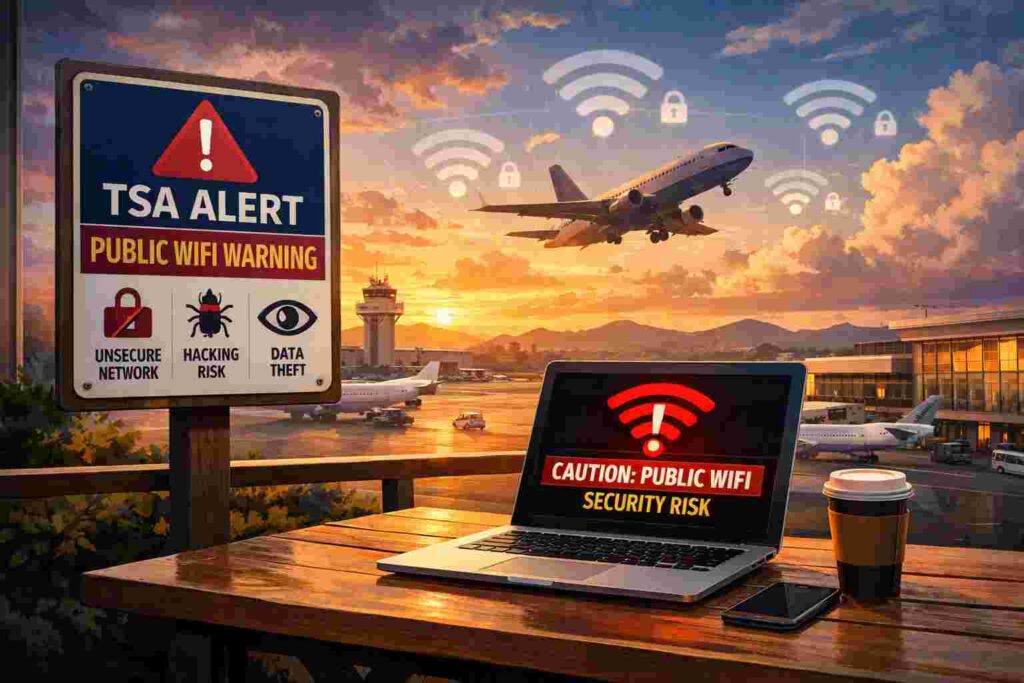
The Transportation Security Administration (TSA) has issued a direct warning to travelers about using free public Wi-Fi networks in airports and other transportation hubs. The alert focuses on the rising threat of cybercriminals who target unsecured wireless networks to steal personal data, login credentials, and financial information. Airport Wi-Fi may appear convenient, but it can expose smartphones, tablets, and laptops to serious security risks.
This advisory forms part of TSA’s broader travel safety messaging, which now extends beyond physical screening to digital protection. Travelers rely heavily on their devices during trips — boarding passes, banking apps, hotel bookings, email access, and social media. That dependence makes public Wi-Fi an attractive hunting ground for hackers.
What the TSA Public Wifi Warning Says
The TSA advises travelers to:
- Avoid logging into sensitive accounts on free public Wi-Fi
- Avoid entering credit card numbers or banking information
- Disable automatic Wi-Fi connection on mobile devices
- Verify official airport network names before connecting
The agency shared this message through official communication channels as part of a cybersecurity awareness push aimed at frequent flyers and casual travelers alike.
Why Free Public Wi-Fi Can Be Dangerous
Public networks usually lack strong encryption. That weakness allows attackers to intercept or manipulate data transmissions. Even tech-savvy travelers can fall victim because malicious networks often mimic legitimate airport Wi-Fi names.
Here are the primary risks:
- Evil Twin Networks – Fake hotspots designed to look like official airport Wi-Fi
- Man-in-the-Middle Attacks – Hackers secretly intercept traffic between your device and the network
- Session Hijacking – Attackers steal login session cookies and access accounts without passwords
- Phishing Redirects – Fake login portals collect usernames and passwords
These tactics require little effort from criminals and can affect hundreds of devices in crowded airports.
TSA Public Wi-Fi Risk Overview
| Threat Type | How It Happens | Potential Damage |
| Evil Twin Network | Fake Wi-Fi mimics official airport name | Password theft, identity fraud |
| Man-in-the-Middle | Traffic intercepted on open network | Financial data exposure |
| Session Hijacking | Active login session captured | Email or social account takeover |
| Phishing Portal | Fake login page displayed | Banking credentials stolen |
| Malware Injection | Device infected through redirect | Device compromise |
Airports: Prime Targets for Cybercriminals
Airports attract thousands of travelers daily. High traffic volumes increase the number of devices connected to shared networks. Hackers exploit this crowded digital environment.
Travelers often:
- Rush to check emails before boarding
- Purchase last-minute tickets or upgrades
- Access online banking during layovers
- Connect multiple devices simultaneously
This behavior creates opportunity. A traveler distracted by flight updates may not notice a fake Wi-Fi network.
How Hackers Exploit Public Wi-Fi
Cybercriminals use simple tools to deploy rogue networks. A laptop or portable hotspot can broadcast a convincing network name within minutes. Once connected, users may experience normal browsing while attackers capture data in the background.
Common exploitation methods:
- Packet sniffing tools that read unencrypted traffic
- Fake captive portals that request login details
- SSL stripping techniques that downgrade secure connections
- Malware downloads triggered by automatic redirects
These attacks can operate silently. Victims often discover the breach days or weeks later.
TSA’s Recommended Safety Steps
Travelers can reduce exposure with straightforward precautions:
- Use mobile data instead of free Wi-Fi whenever possible
- Turn off automatic Wi-Fi connection settings
- Forget previously saved public networks
- Use a reputable paid VPN service
- Keep operating systems and apps updated
- Enable two-factor authentication on all major accounts
Mobile data connections provide stronger security because cellular networks use encrypted communication channels that are harder to intercept.
Public Wi-Fi vs Mobile Data: Security Comparison
| Public Wi-Fi | Mobile Data | |
| Encryption Level | Often weak or open | Strong carrier encryption |
| Risk of Fake Network | High | Very low |
| Data Interception Risk | Elevated | Minimal |
| Authentication Required | Rare | SIM-based authentication |
| Recommended for Banking | No | Yes |
For sensitive tasks such as online banking or accessing business email, mobile data offers far better protection.
The Role of VPNs
A Virtual Private Network encrypts your internet traffic before it leaves your device. Even on a public network, encrypted VPN traffic becomes unreadable to attackers.
Benefits of using a VPN:
- Adds encryption layer to Wi-Fi sessions
- Masks IP address
- Protects login credentials
- Reduces interception risk
Free VPN services may log user data or lack strong encryption. A trusted, paid provider offers better security standards.
Real-World Consequences of Public Wi-Fi Breaches
Victims of Wi-Fi-based attacks may experience:
- Bank account fraud
- Credit card misuse
- Email compromise
- Identity theft
- Corporate data leaks
Business travelers face additional risks. Compromised company credentials can expose sensitive files, client information, or proprietary systems.
Safe Scenarios for Using Public Wi-Fi
Not all Wi-Fi usage carries equal risk. Low-sensitivity activities present fewer dangers.
Relatively safer uses:
- Streaming pre-downloaded content
- Reading non-confidential news sites
- Checking flight schedules without logging in
- Using apps that do not require credentials
Avoid logging into financial accounts, online shopping platforms, or work systems without protection.
Behavioral Habits That Increase Risk
Certain habits amplify vulnerability:
- Connecting to the strongest signal without verification
- Reusing identical passwords across services
- Ignoring browser security warnings
- Clicking pop-up login prompts automatically
- Leaving Bluetooth enabled in crowded spaces
Small adjustments in digital behavior can dramatically lower exposure.
Corporate Travel and Wi-Fi Security
Companies increasingly train employees on travel cybersecurity. Corporate devices may include:
- Preinstalled VPN software
- Device management security policies
- Automatic encryption protocols
- Remote wipe capability
Employees should follow company IT guidance strictly during trips.
Cybersecurity Checklist for Travelers
Before departure:
- Update device software
- Activate two-factor authentication
- Install a trusted VPN
- Backup important data
At the airport:
- Confirm official Wi-Fi network name
- Disable file sharing
- Avoid financial transactions
- Monitor device behavior
After travel:
- Change passwords for sensitive accounts
- Review bank statements
- Check login history on major platforms
TSA Public Wifi Warning: Final Perspective
The TSA’s public Wi-Fi advisory serves as a reminder that travel security now extends beyond metal detectors and baggage screening. Cybercriminals operate in digital spaces that mirror crowded terminals. A single unsecured connection can expose personal or financial information within minutes.
Free airport Wi-Fi offers convenience, but convenience should not override caution. Mobile data, verified networks, VPN use, and mindful online behavior dramatically reduce exposure to digital threats.
Travelers who adopt these protective habits strengthen their cybersecurity posture and reduce the likelihood of identity theft or financial fraud. A secure trip depends not only on safe luggage handling but also on safe internet practices.